


Download Hub, Video Downloader
4.4945.00 Reviews
App Specs
- Version
- 7.3.1
- Updated On
- License
- Free
- Downloads
- 5,000,000+
- Developer
- Download hub
- Categories
- Video Players & Editors
- Platform
- Android
Screenshots
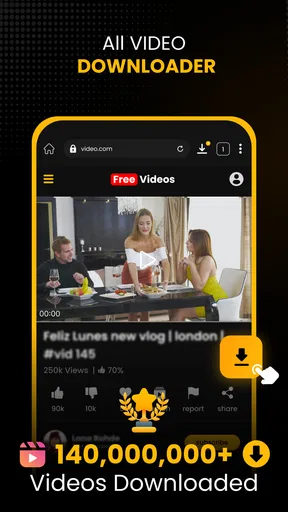
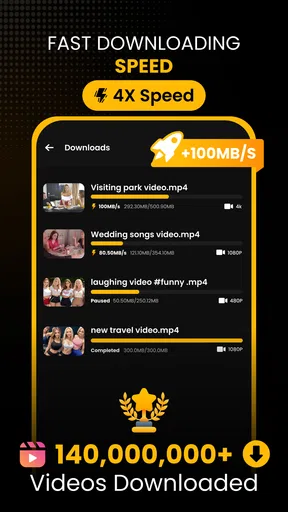
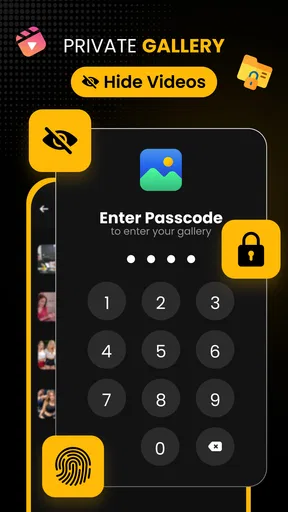

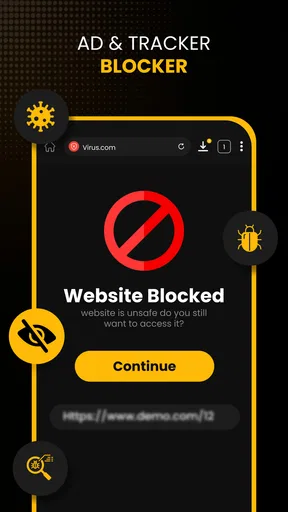

 Analysis by AppCompare
Ever found yourself in one of those moments where you stumble upon a killer video online, and all you want is to download it for later? Yeah, me too. Enter the Download Hub, Video Downloader, a nifty little app designed to make this process smoother than a fresh jar of Skippy. Let's dive into what makes this app tick and why it might just become your go-to video downloading tool.
Getting Started with Download Hub
First things first, let's talk about getting this app onto your device. Available for both Android and iOS, the Download Hub, Video Downloader installs quicker than you can say "video binging." Once you open it up, you're greeted with a clean, intuitive interface that screams simplicity. No clutter, just the essentials.
A Sleek User Interface
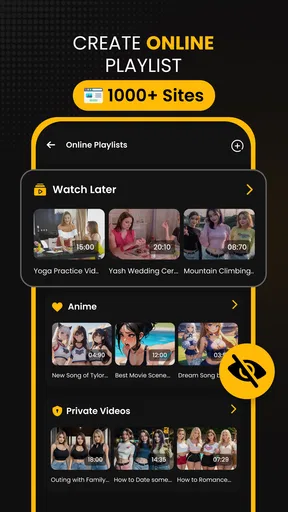
I don't know about you, but I appreciate an app that doesn't make me feel like I need an engineering degree to operate it. The app's layout is straightforward, with easy navigation that allows you to find what you need without any fuss. The home screen gives you quick access to your downloads, settings, and a search bar to find videos across different platforms.
Downloading Videos Made Easy
Now, let's get to the meat and potatoes — downloading videos. The process is as simple as copying and pasting a link. You just grab the URL of the video you want, pop it into the app, and boom! The download begins. It's like magic, but without the rabbit and hat. The app supports a wide range of platforms, so whether you're downloading from YouTube, Facebook, or other sites, you're covered.
Quality and Format Options
One thing I love about Download Hub, Video Downloader is the flexibility it offers in terms of video quality and format. Whether you want a high-definition experience or something a bit more data-friendly, the app lets you choose. And let's be real, who doesn't love options?
Managing Your Downloads
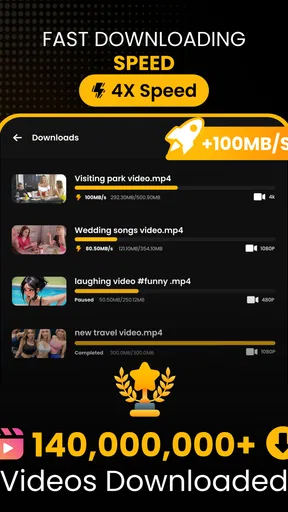
Once you've got your videos, managing them is a breeze. The app categorizes your downloads neatly, making it easy to find what you're looking for. Plus, you can rename files, change their order, or even delete them directly from the app. No more endless scrolling through your gallery trying to find that one video you downloaded last week.
A Few Extras Worth Mentioning
Beyond the basics, Download Hub, Video Downloader throws in a few extra features that are worth a mention. For one, there's the option to download just the audio from a video, which is perfect for those times you only want the soundtrack. Additionally, you can set downloads to happen over Wi-Fi only, saving your mobile data for more important things, like doomscrolling on social media.
Worth Reading Before You Choose

EA SPORTS FC Mobile 26 Is a Bigger Football Game, but It Takes Time

Flipboard Shows What News Apps Must Do Beyond the Feed

Switching to Android Auto Means Rethinking Your Driving Routine

Google Calendar Makes a Crowded Week Easier to Manage

Ludo King Makes the Most of the Minutes Between Plans

Baby Panda World Brings Quick Play to Modern Phones, but Its Game Library Feels Busy
The Verdict
All in all, Download Hub, Video Downloader is a solid choice for anyone looking to save videos for offline viewing. It's user-friendly, efficient, and offers enough customization to satisfy even the pickiest of downloaders. Whether you're a casual user or a serious video hoarder, this app has got something for you.
So, if you're tired of buffering and want to take your favorite videos with you wherever you go, give this app a whirl. Just remember, with great downloading power comes great responsibility. Happy downloading!
Pros
- Supports multiple formats for downloads.
- Fast download speeds with stable connection.
- User-friendly interface for easy navigation.
- Allows batch downloading of videos.
- Integrates seamlessly with popular browsers.
Cons
- Contains ads that can be intrusive.
- Limited features in the free version.
- May not support certain streaming sites.
- Requires permissions that some users may find invasive.
- Occasional bugs during downloads.
FAQs for Download Hub, Video Downloader
Is Download Hub, Video Downloader available for both Android and iOS?
Yes, Download Hub, Video Downloader is available for both Android and iOS platforms. You can download it from the Google Play Store for Android devices and the Apple App Store for iOS devices. Ensure your device meets the minimum system requirements for optimal performance.
Does Download Hub support downloading videos from all websites?
Download Hub supports downloading from a wide range of websites, but not all. It is primarily designed to work with popular video streaming platforms. However, some sites may restrict downloading due to their terms of service, so it's important to check compatibility before use.
Are there any legal concerns when using Download Hub, Video Downloader?
Using Download Hub may involve legal considerations, depending on the content you are downloading and your location. It's important to respect copyright laws and the terms of service of websites. Always ensure you have permission to download the content you are interested in.
What are the key features of Download Hub, Video Downloader?
Download Hub offers several key features, including high-speed downloads, support for multiple video formats, and a user-friendly interface. Additionally, it allows for batch downloading and has a built-in video player. These features make it a versatile tool for managing video content efficiently.
Is there a cost associated with using Download Hub, Video Downloader?
Download Hub is free to download, but it may offer in-app purchases or a premium version with additional features. The free version typically includes ads, which can be removed by upgrading. Check the app description for detailed pricing information and available features in the premium version.


